
Your message, delivered.
Herald runs every newsletter you publish from one place, with a separate audience, template set, and settings for each list.
- Watch the film · 1:15
- Accessibility documented
- Multi-tenant
- Tracking off by default
Write once. Test a little. Send once.
Three lists that differ, a reader who counts only after the click, a preview with its size, a subject-line test on a slice, a winner by open rate, a Send that mails each reader once, and tracking that stays off until you turn it on, all on StrataForge Robotics’ fictional lists.
Read the film’s text version
Title: Herald. Your message, delivered. 2026. A bright, energized electronic score runs under the whole film, with a soft tick or hit on each action.
The hook: “One tool. Many lists.” Three list cards, drawn from the app’s own records and labeled as an illustration: Product release notes, BioMedical stories, and Investor update. Each has its own sender, its own rules (double opt-in or none, tracking on or off), and its own readers. Seven marks follow, one per list.
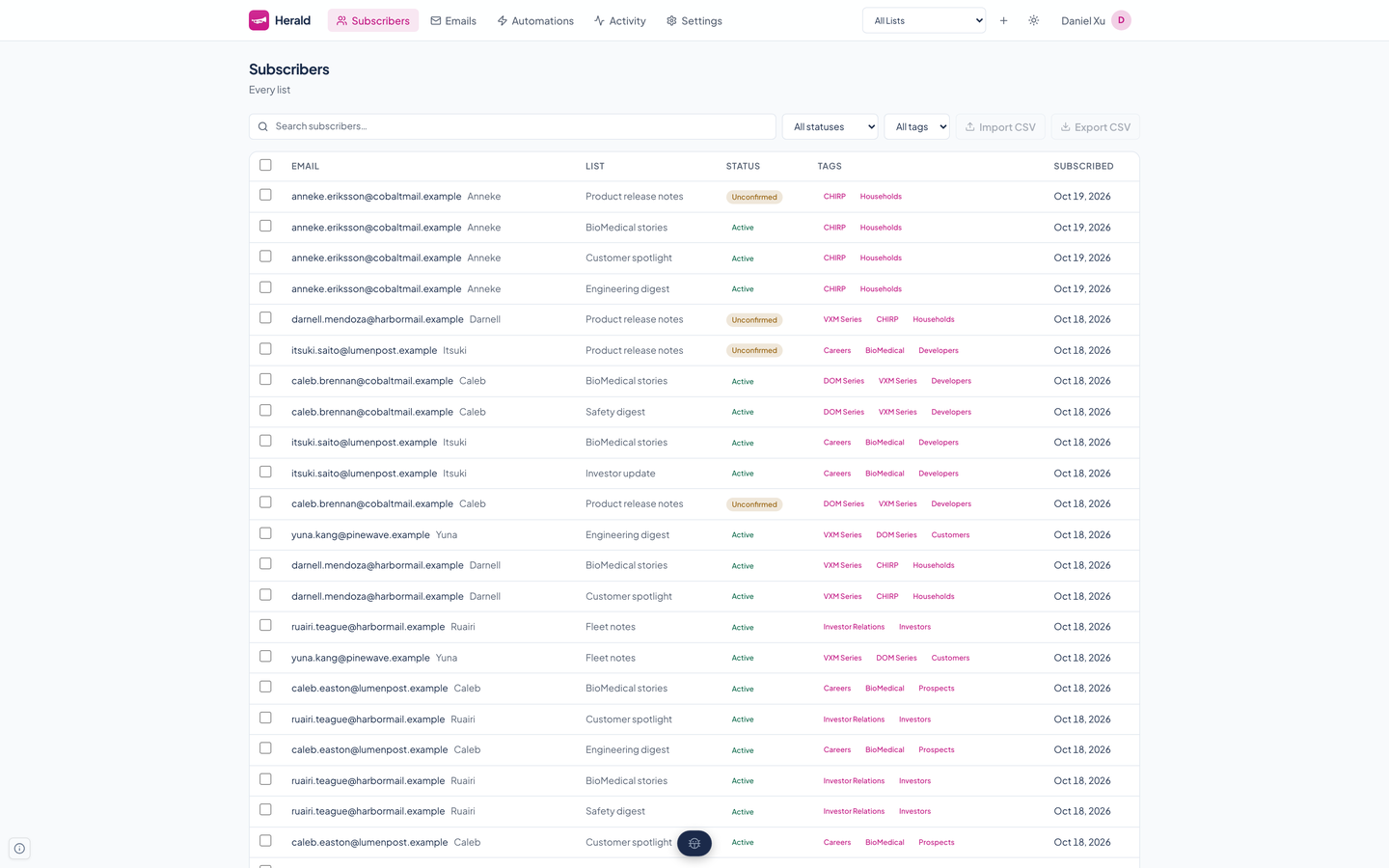
Consent: As the beat drops: “A link, first.” A drawn confirmation mail with a Confirm button and a 64-character one-time token. “Counts after the click.” The real Subscribers page, filtered to Unconfirmed, with the filter and the first reader’s chip ringed, and twenty-four amber marks, one for each unconfirmed reader of Product release notes, beside 2,036 active. One mark turns green, drawn, the line reads 23 unconfirmed and 2,037 active, and a second line says only active readers get mail.
Compose: “Write it once.” The real composer, with the template picker and the preview’s size, 7.1 KB, ringed. “Warned before Gmail clips.” A drawn meter shows 7.1 KB against the 102,000 bytes past which Herald warns. “Send yourself a test.” The composer’s Send test button is ringed; nothing is sent.
Test: “Test a slice first.” The composer’s A/B test button is ringed. “Three subject lines.” A drawn list bar splits into a 20 percent test slice of 300 readers and 1,200 who wait, and the sample test’s three real subject lines arrive, 100 sends each: the control, “Release notes: clinic updates, August,” and two others.
Winner: As the beat drops again: “Open rate picks the winner.” Three bars rise from the sample test’s own results, 31, 38, and 34 percent, and the second is checked, with a note that a challenger needs at least 1.05 times the control’s rate or the control wins. “The rest get the winner.” A drawn bar fills with the winning line for the 1,200 who waited. “It stays on the record.” The real Emails page, with “Winner: B (38.0% open rate)” ringed.
Once: “Send once.” Two drawn Send buttons are clicked at the same instant. One is claimed and sending; the other is refused in the app’s own words, “This email is already being sent.” A line reads 1,500 readers, one email each.
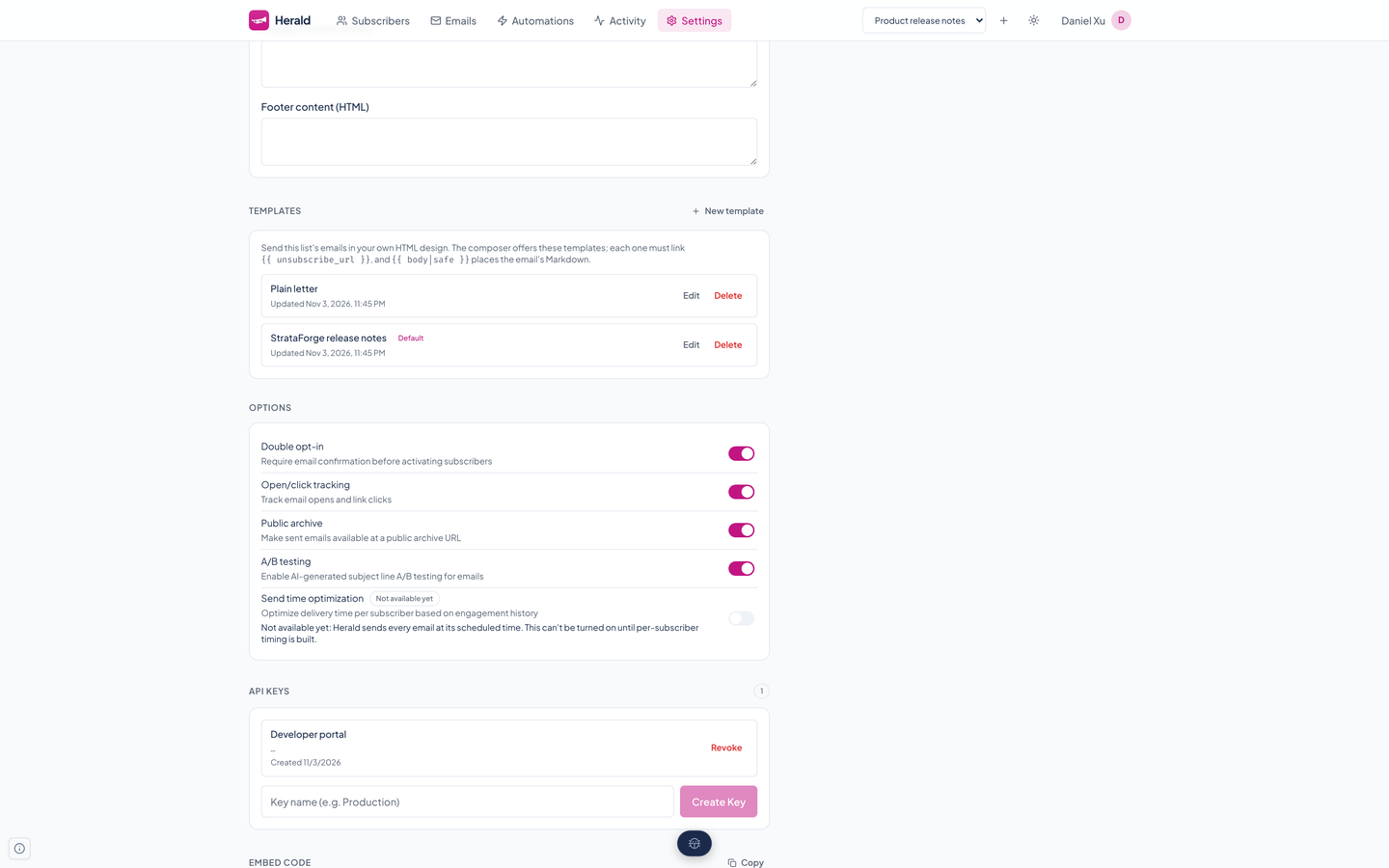
Honest defaults: “Tracking is off until you say so.” The real settings page of a list with tracking off, the Open/click tracking row ringed between Double opt-in and Public archive, which are on. “Unsubscribe in one click.” A drawn mail app shows its own Unsubscribe button and the one-click unsubscribe header, labeled RFC 8058.
Close: “Write once. Test a little.” “Send once.” Two hits, one for each line.
End card: The mark, Herald, the tagline, “Your message, delivered.”, and fleet@renkara.com, on the final chord.
A newsletter platform you can read in an afternoon
Herald does the unglamorous parts well: it keeps lists apart, only mails people who said yes, puts the unsubscribe link where the law and good manners want it, and lets you test a subject line before the whole list sees it. An agent server with 63 tools reaches all of it.
Lists, readers, and consent
Many lists, kept apart
Each list has its own subscribers, tags, segments, templates, API keys, webhooks, and settings. The top bar picks one list or shows All Lists, which is the default, and a row always acts on its own list.
Double opt-in
A new signup gets a confirmation email with a 64-character random link and counts only after the click. An expired link offers a fresh one, and a list can turn double opt-in off.
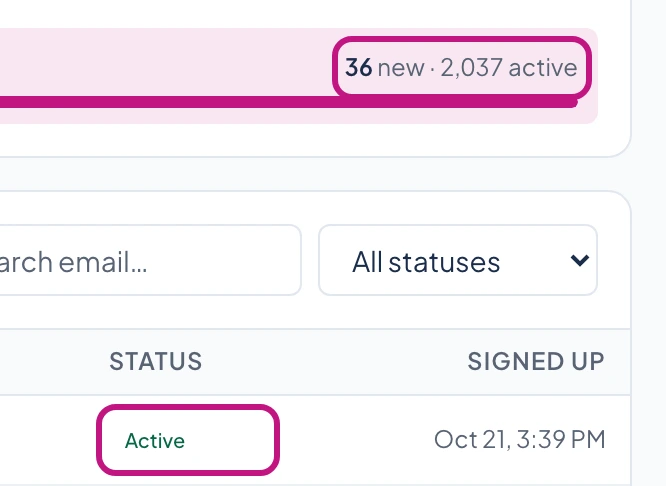
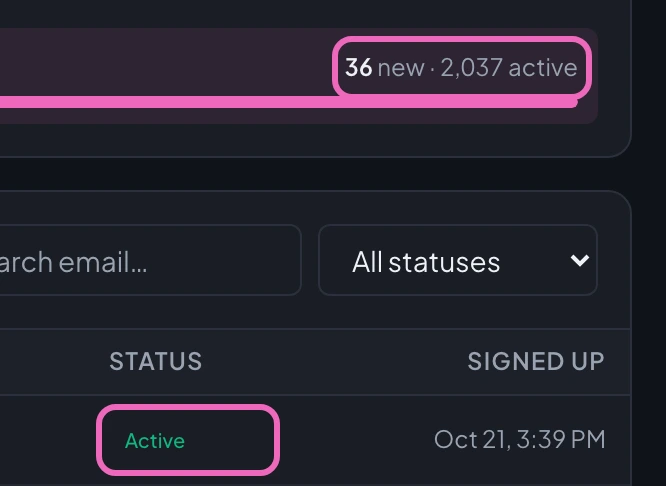
Herald's Dashboard for the Product release notes list, in a phone-width window. The Signups by list row reads 36 new, 2,036 active, and the first row of Recent signups, dated Oct 21, 3:39 PM, has a gray Unconfirmed chip; a ring marks the count and the chip. Then the row reads 2,037 active and the same row's chip reads Active.
Tags and segments
Tag readers by hand, by an automation step, or through the API. A segment gathers the active readers who carry any of its tags, and its preview, its count, and the send itself all use the same rule.
- Import and export
- Upload a CSV with an email column, or download a list's readers as CSV whenever you like. Addresses already on the list or on the suppression list are skipped.
- One-click unsubscribe
- Every email carries the List-Unsubscribe and List-Unsubscribe-Post headers (RFC 8058), so mail apps show their own unsubscribe button. Markdown emails also get a visible footer with an unsubscribe link and the list's mailing address.
From a Markdown draft to an inbox
A composer with preview
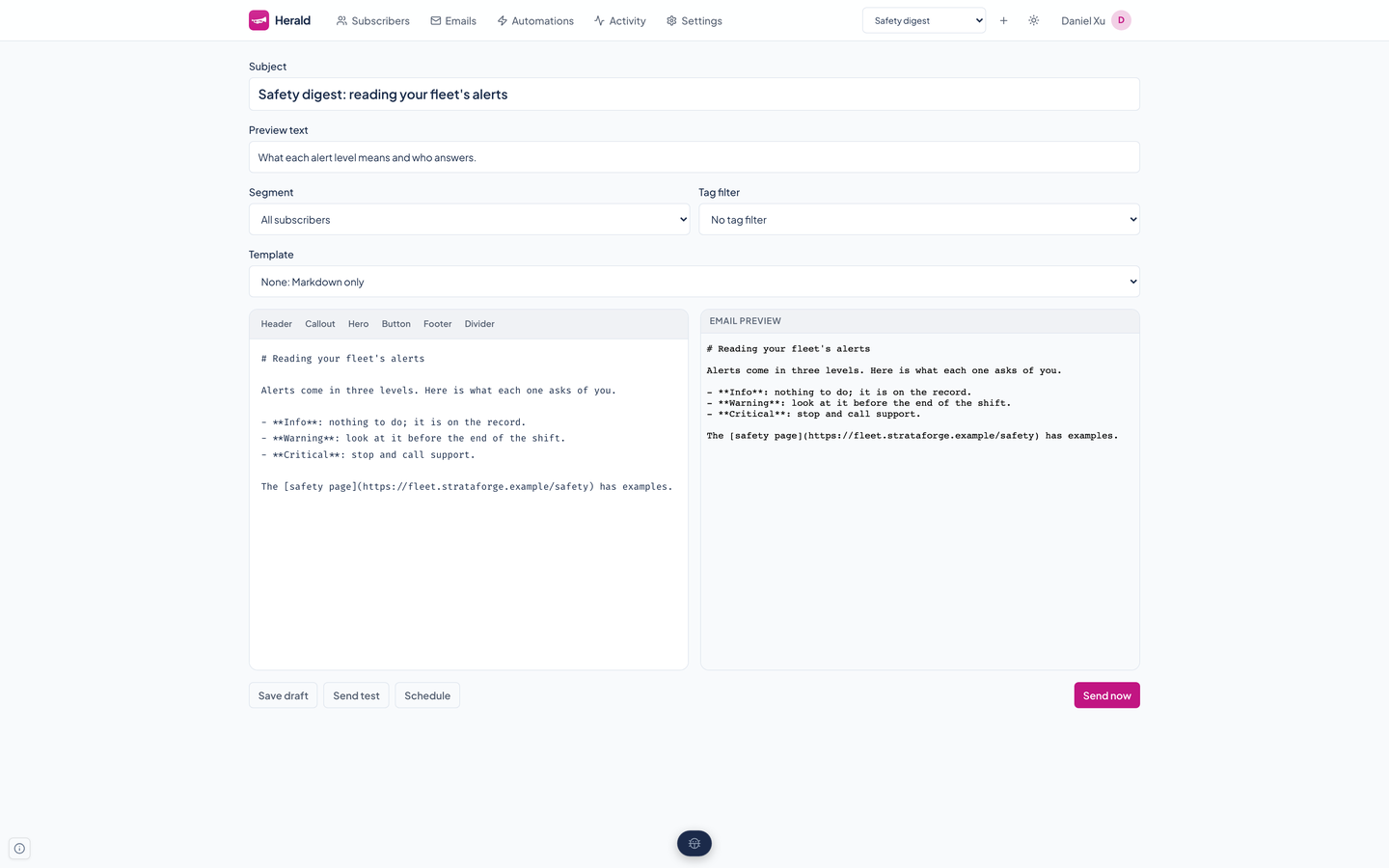
Write in Markdown and see the email beside it as a reader will get it: Herald renders the Markdown into email HTML, or through an HTML template you pick. Save a draft, send a test, schedule it, or send it now.
- Test sends
- Send a draft to any address or to subscribers you search for. A test send records nothing against the campaign, so you can repeat it, and a provider refusal comes back with its reason.
HTML templates
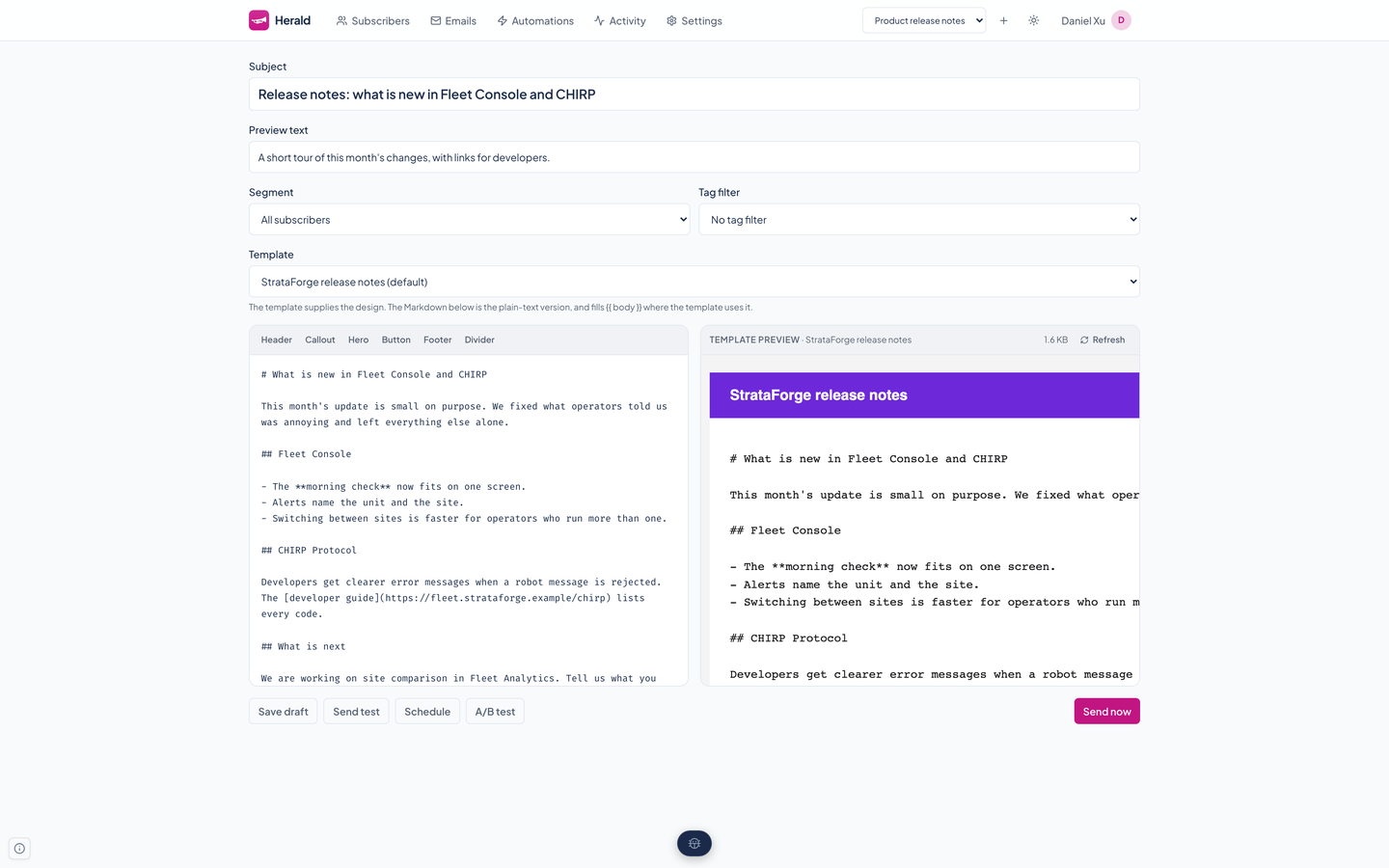
Keep fully designed HTML emails per list. A template uses per-reader variables, must link the reader's unsubscribe URL, runs in a sandbox, and can be the default new emails start on.
- A preview you can trust
- With a template, the preview comes from the server and is exactly what a reader receives, both the HTML and the plain-text part. Past 102,000 bytes it warns that Gmail would clip the message.
Sent once, sent to the right people
A send reaches each active reader once however many tags they carry. Double-clicking Send or a second server racing the scheduler cannot mail anyone twice.
- A public archive
- A list can publish its sent emails as web pages. An archive page is served sandboxed, so no script in an email can run in the reader's browser.
Set it up once, then test the subject line
Automations
Start when a reader confirms. Then run steps in order: send an email, wait, add a tag, or remove one.
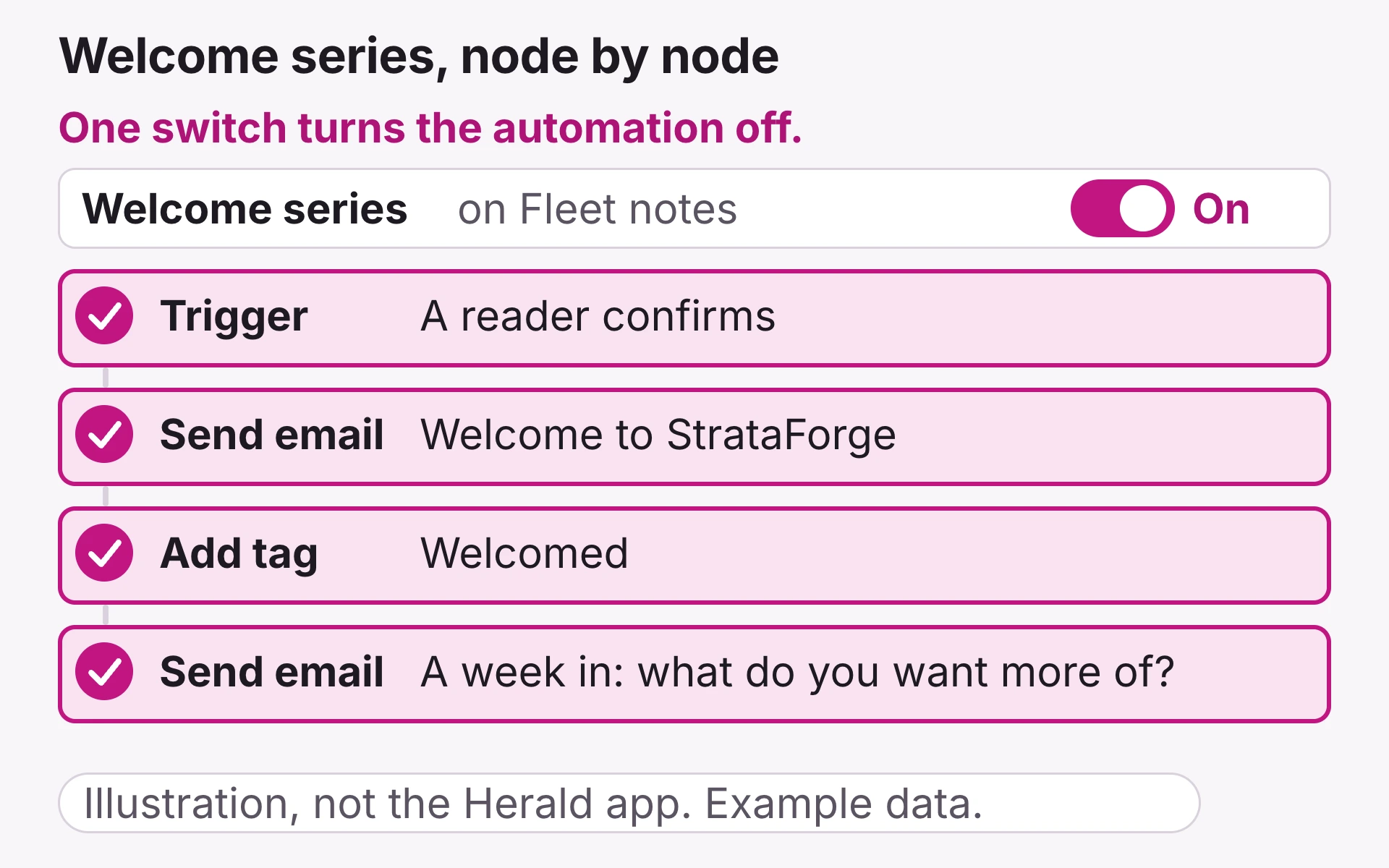
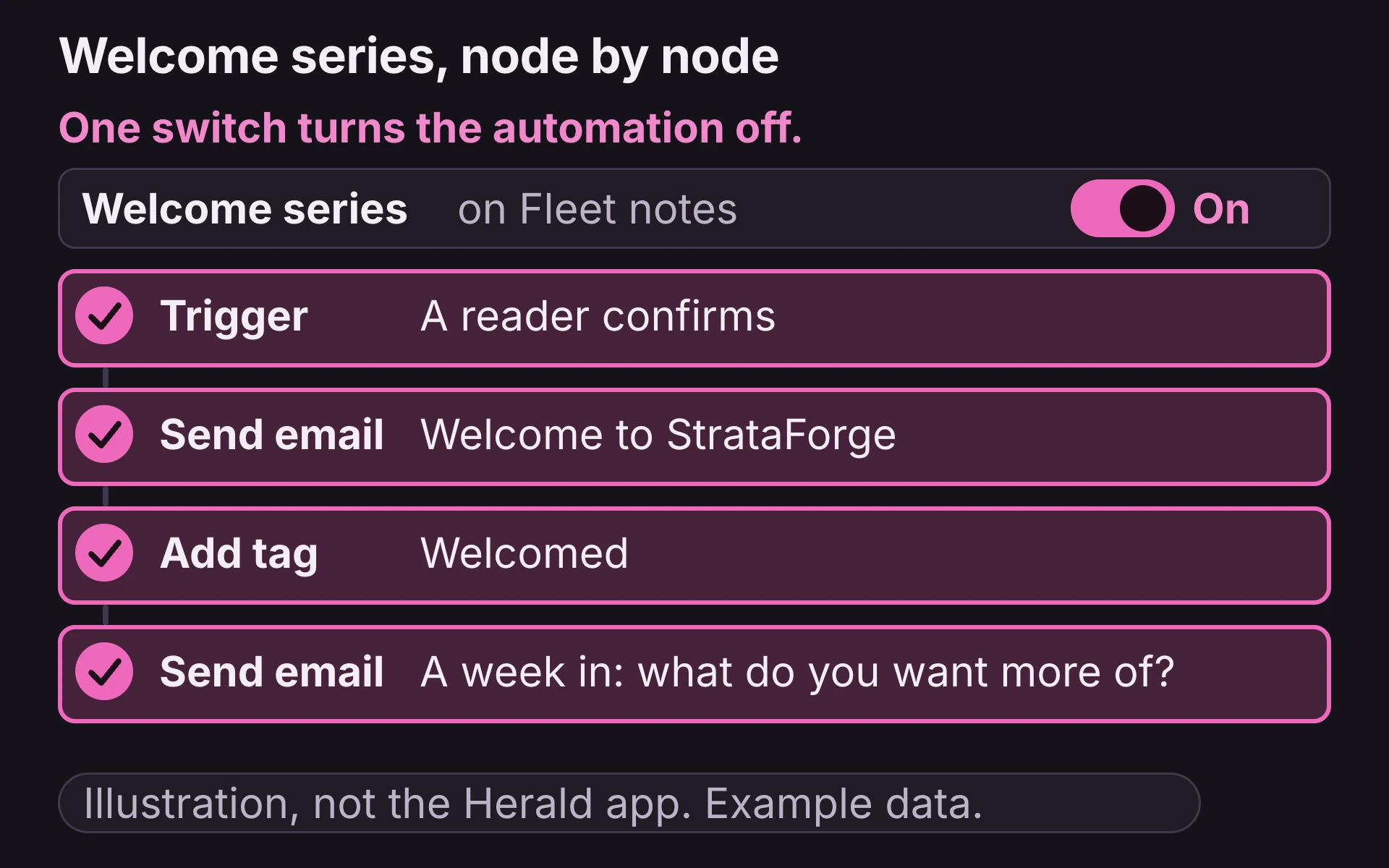
Illustration, not the Herald app, with example data. The Welcome series automation on Fleet notes shows a switch set to On and a first node, Trigger: a reader confirms. Three steps appear beneath it, and a dot walks down the chain, lighting each one in order: Send email, Welcome to StrataForge; Add tag, Welcomed; Send email, A week in: what do you want more of? Then the switch slides to Off and the nodes dim.
AI subject-line tests
Ask Mercury 3 for alternative subject lines (if the model is unavailable, Herald suggests simple variations of your line instead), edit or drop any of them, and test them on 5 to 50 percent of the list. Herald sends the one with the best open rate to everyone else, as long as it beats the original by at least 5 percent; if not, the original goes. Off by default for each list.
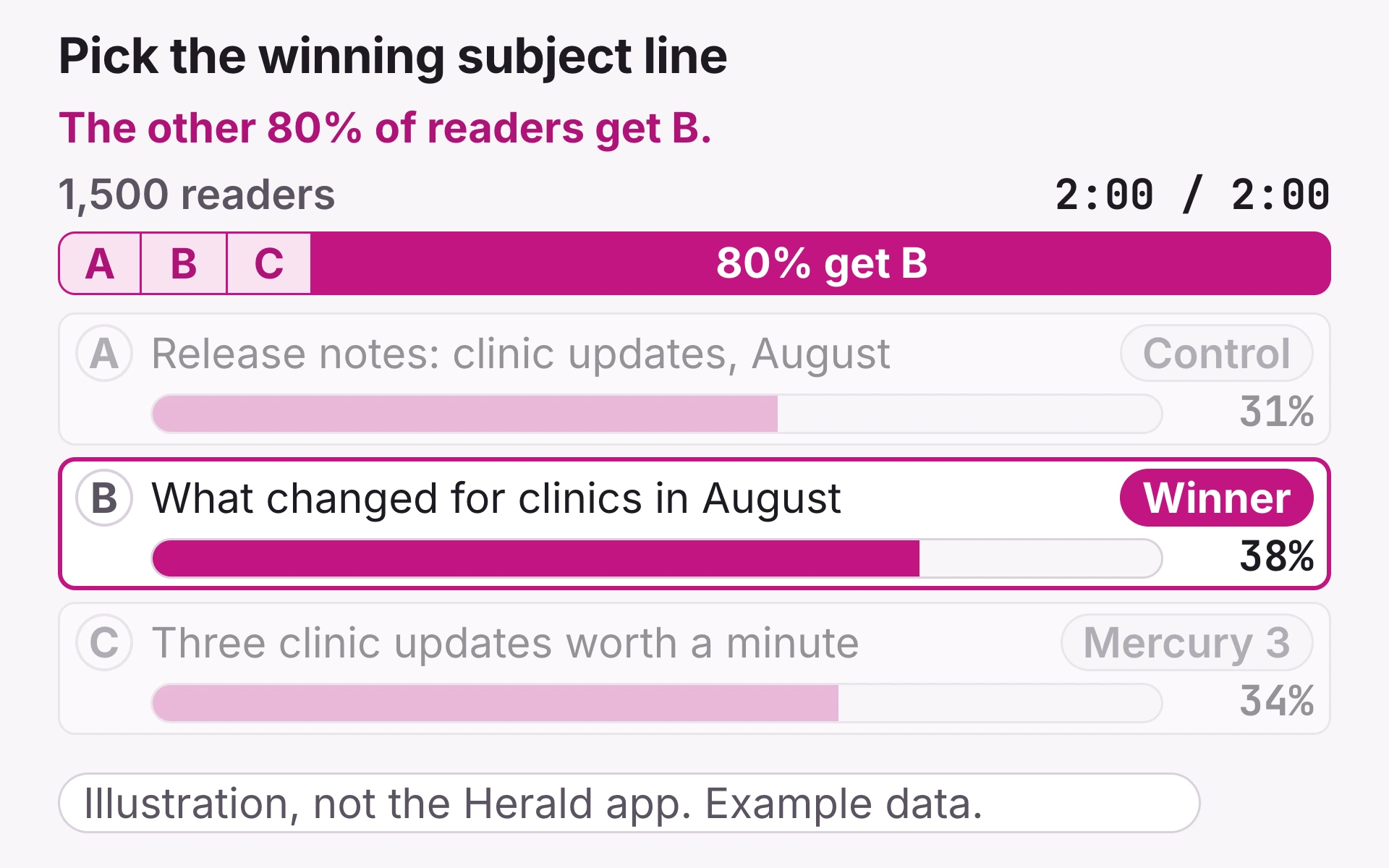
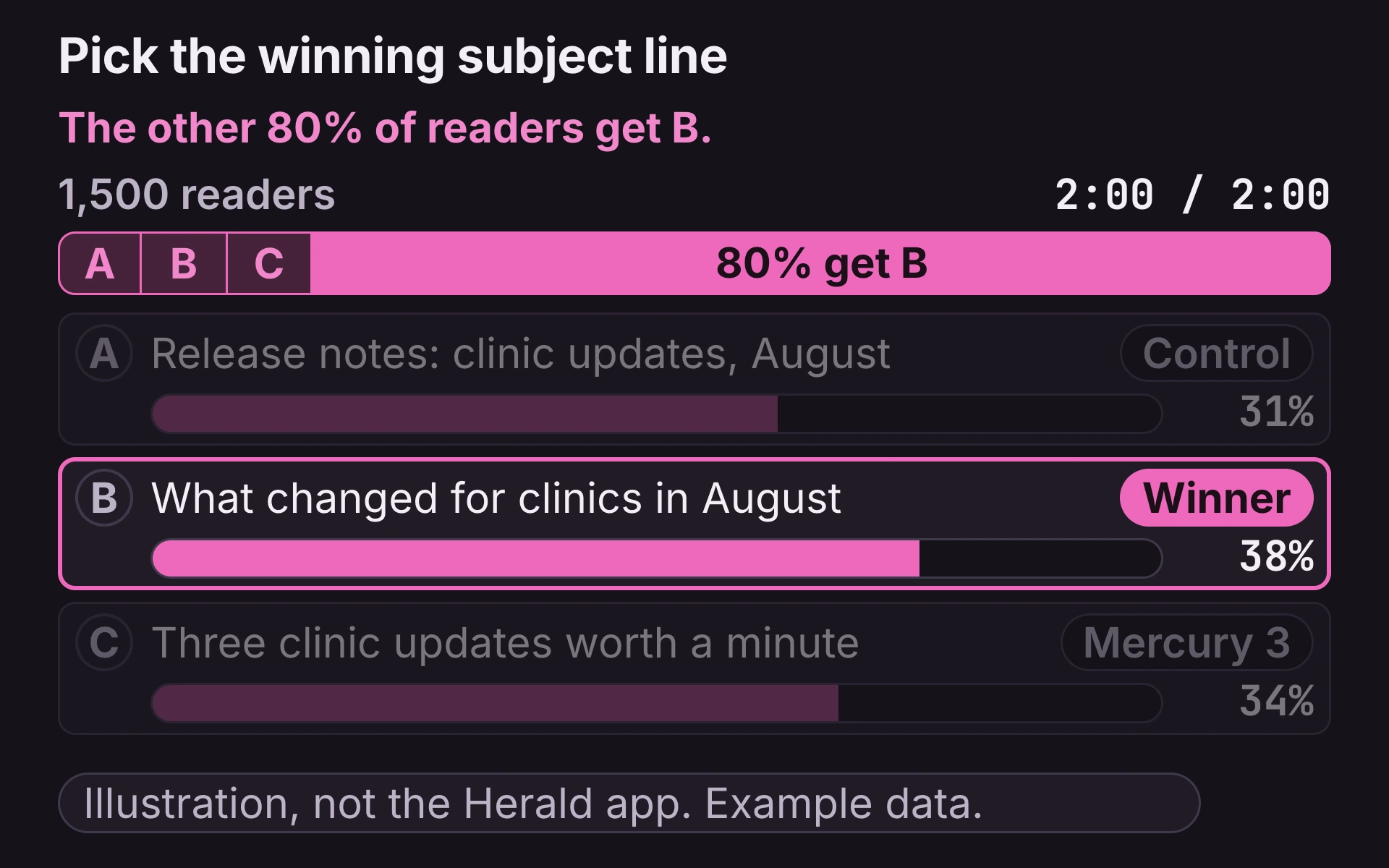
Illustration, not the Herald app, with example data. A subject line, Release notes: clinic updates, August, is the control, A. Mercury 3 suggests two more, B and C. A bar for 1,500 readers shows 20% testing, split three ways, and 80% waiting. While a clock runs from 0:00 to 2:00, three open-rate bars climb to 31%, 38%, and 34%. Then B is marked Winner, and the waiting 80% turns to read 80% get B.
- Results where you work
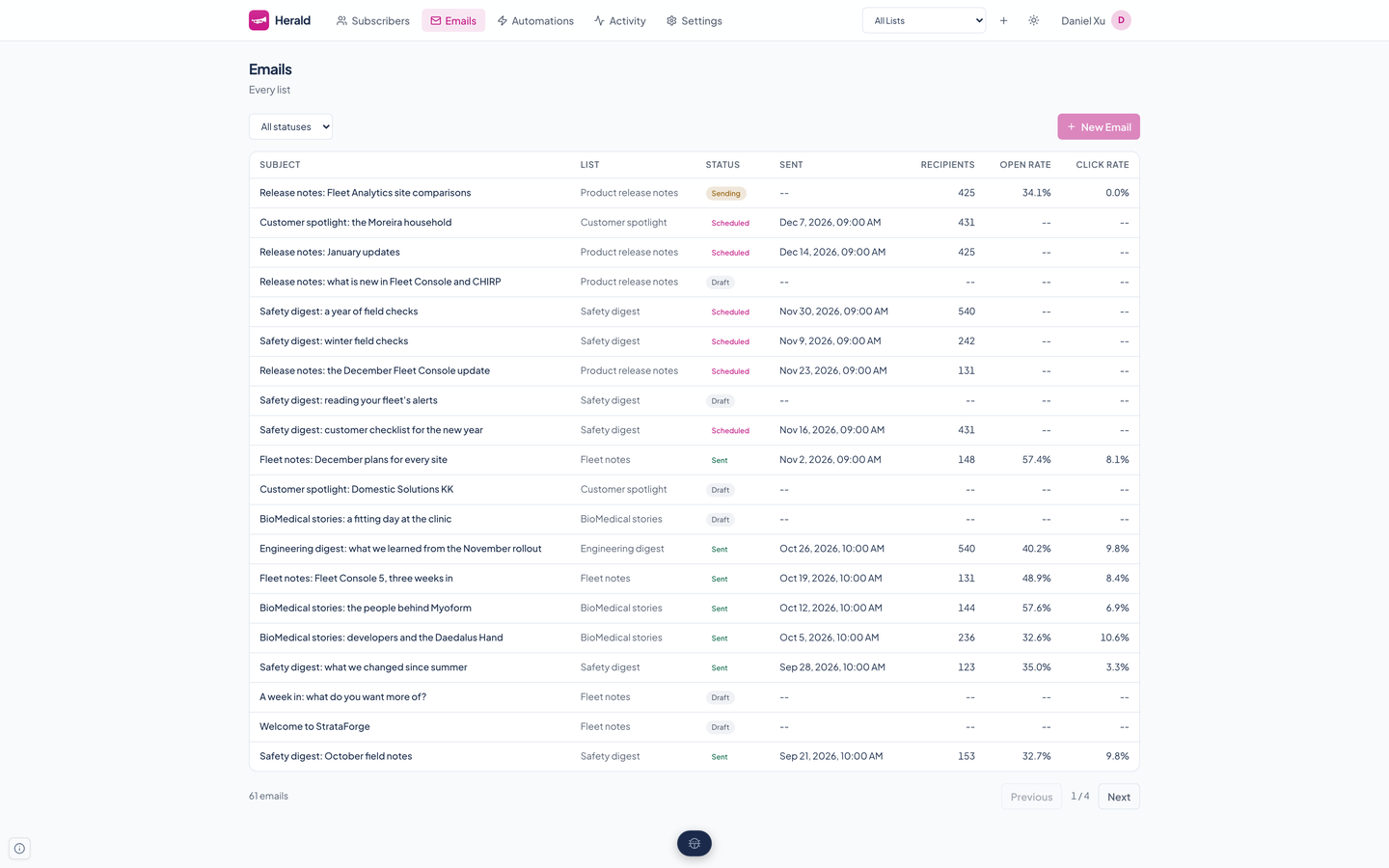
- A running test shows an A/B badge on the email list. A finished one shows the winning subject line and how each variant did.
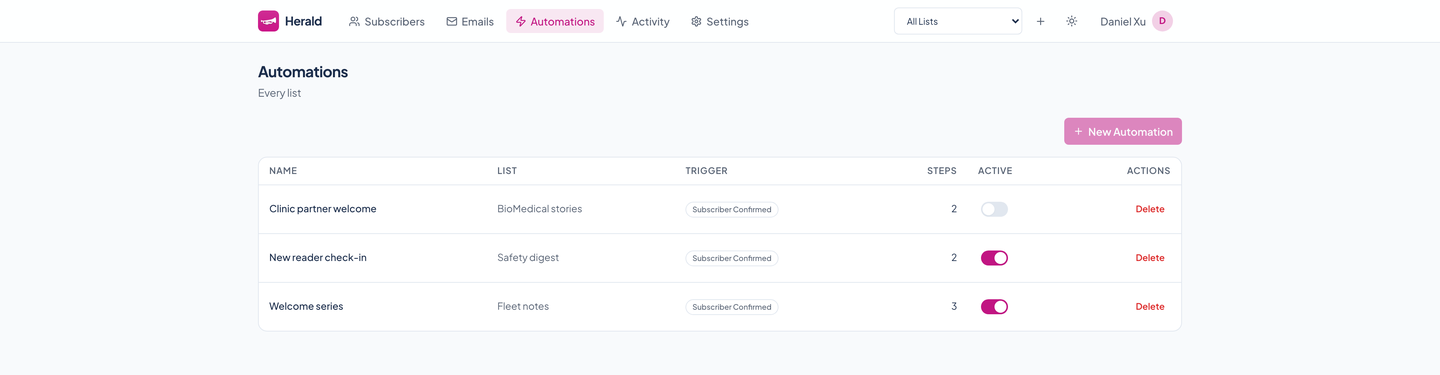
Honest defaults
SendGrid delivery
Mail goes out through SendGrid. Its bounce, spam-complaint, delivery, open, and click events come back signed, and Herald checks the signature before believing them.
- Tracking off until you say so
- New lists do not track opens or clicks. Turn tracking on for a list and you get open and click rates on the dashboard and the email list.
- Signed webhooks and keys per list
- Outbound webhooks fire on subscriber and email events, each signed with its own secret. API keys are per list, stored hashed, and shown once.
- Signup that resists bots
- The public signup endpoints use a hidden honeypot field and a rate limit per address and endpoint (10 a minute by default). A small Lambda function handles signup forms on static sites.
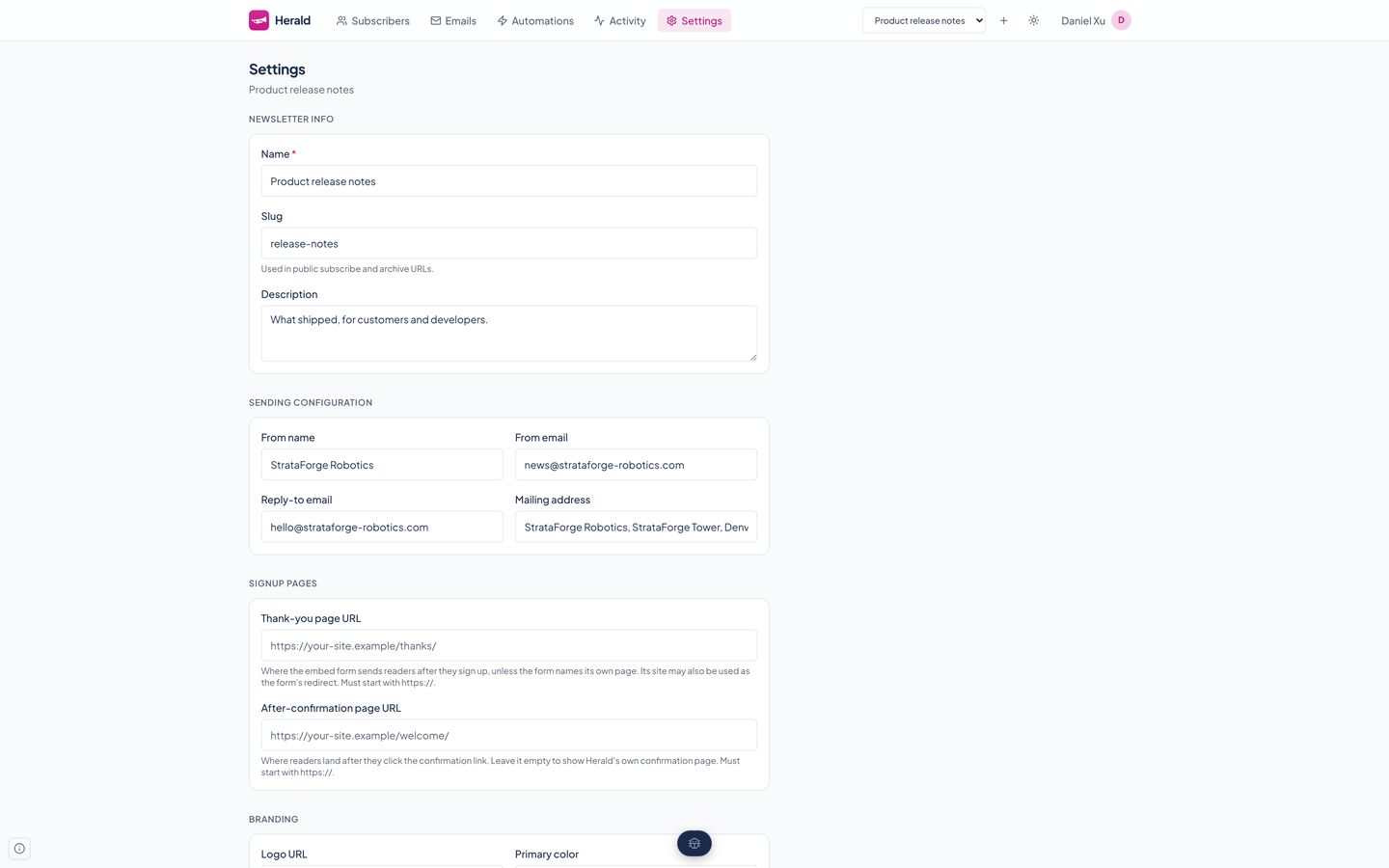
An audit trail
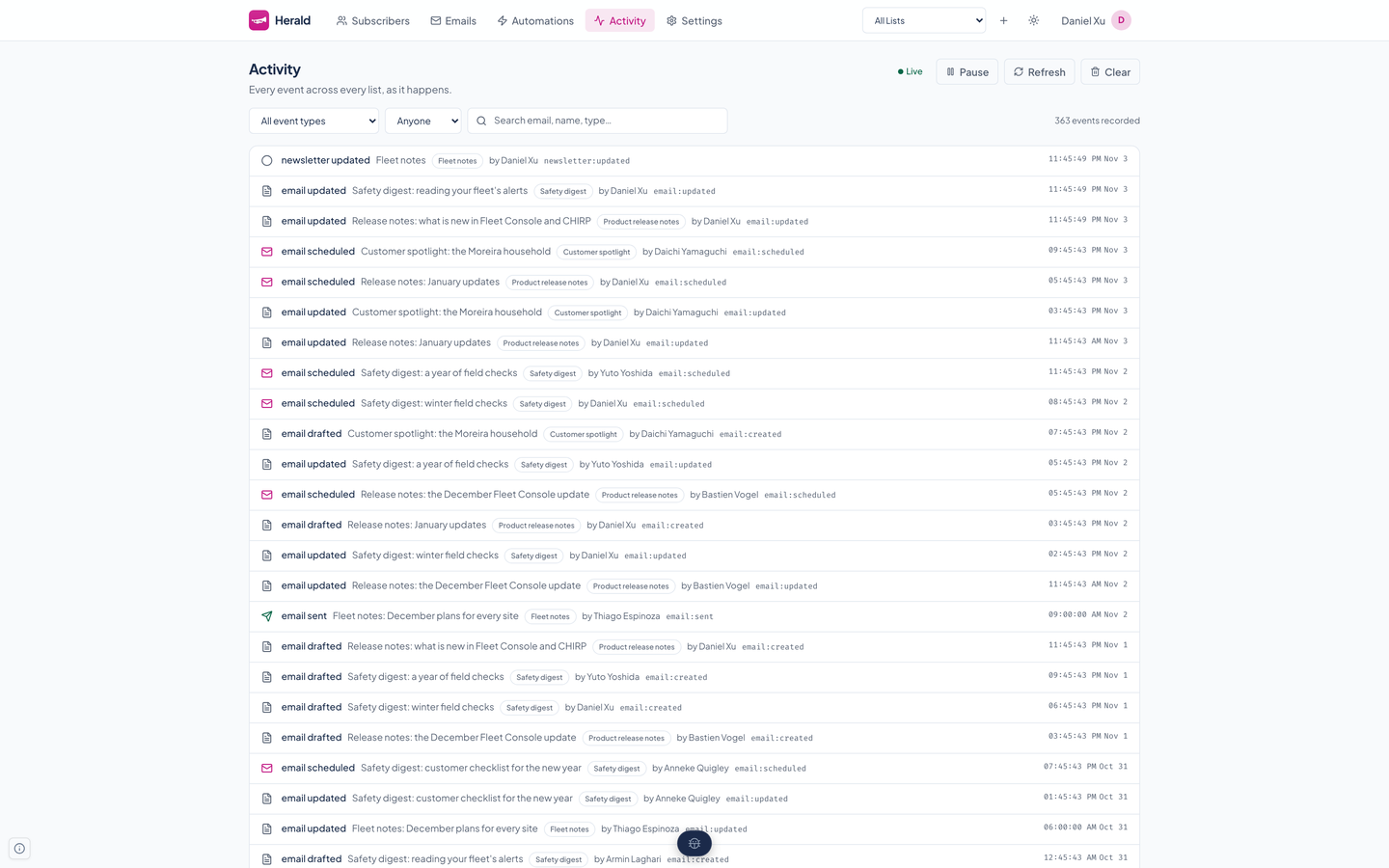
Every change is saved as a record with who did it, so history survives a restart. The Activity page filters it by type and person and updates live.
See it in light and dark
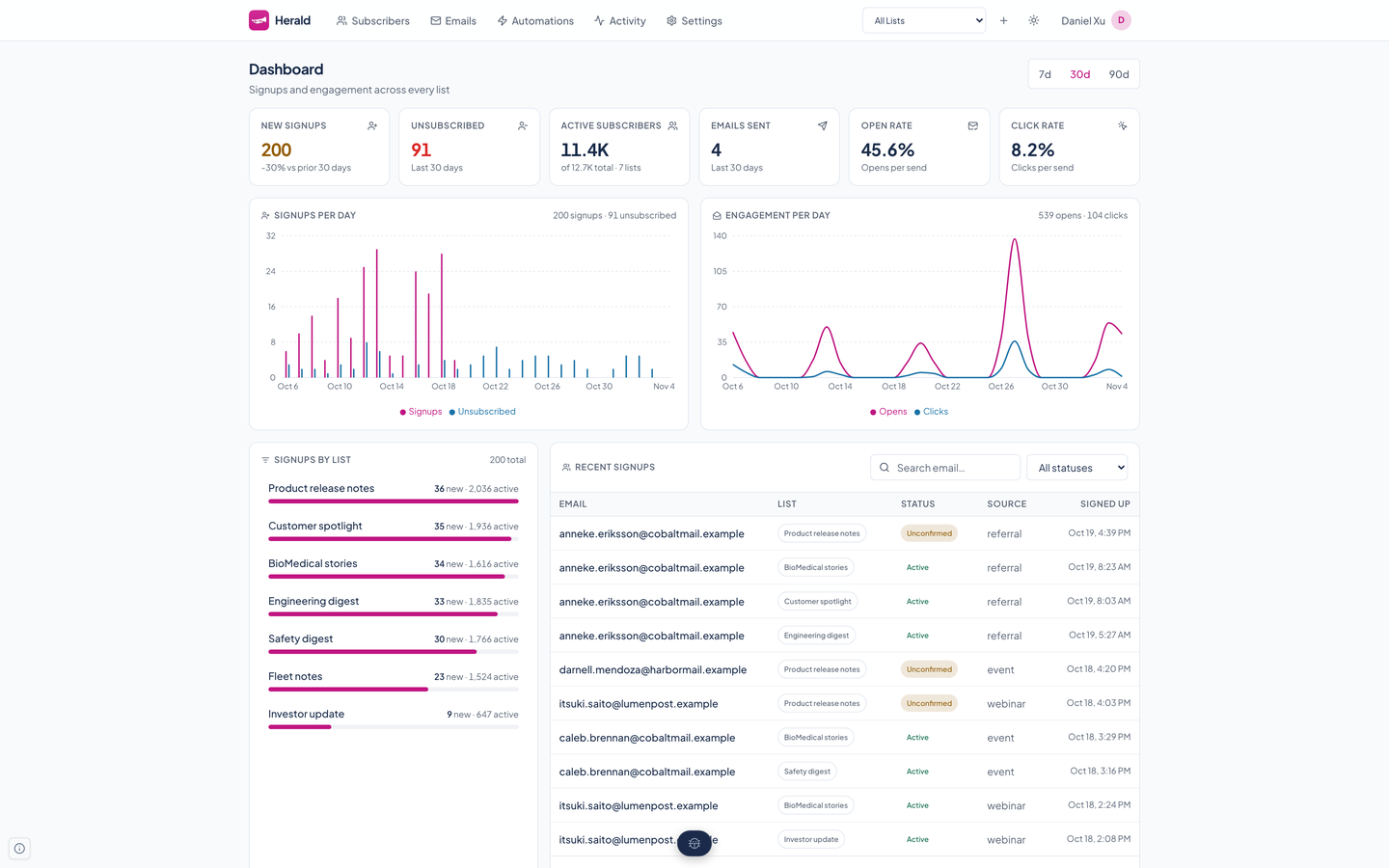
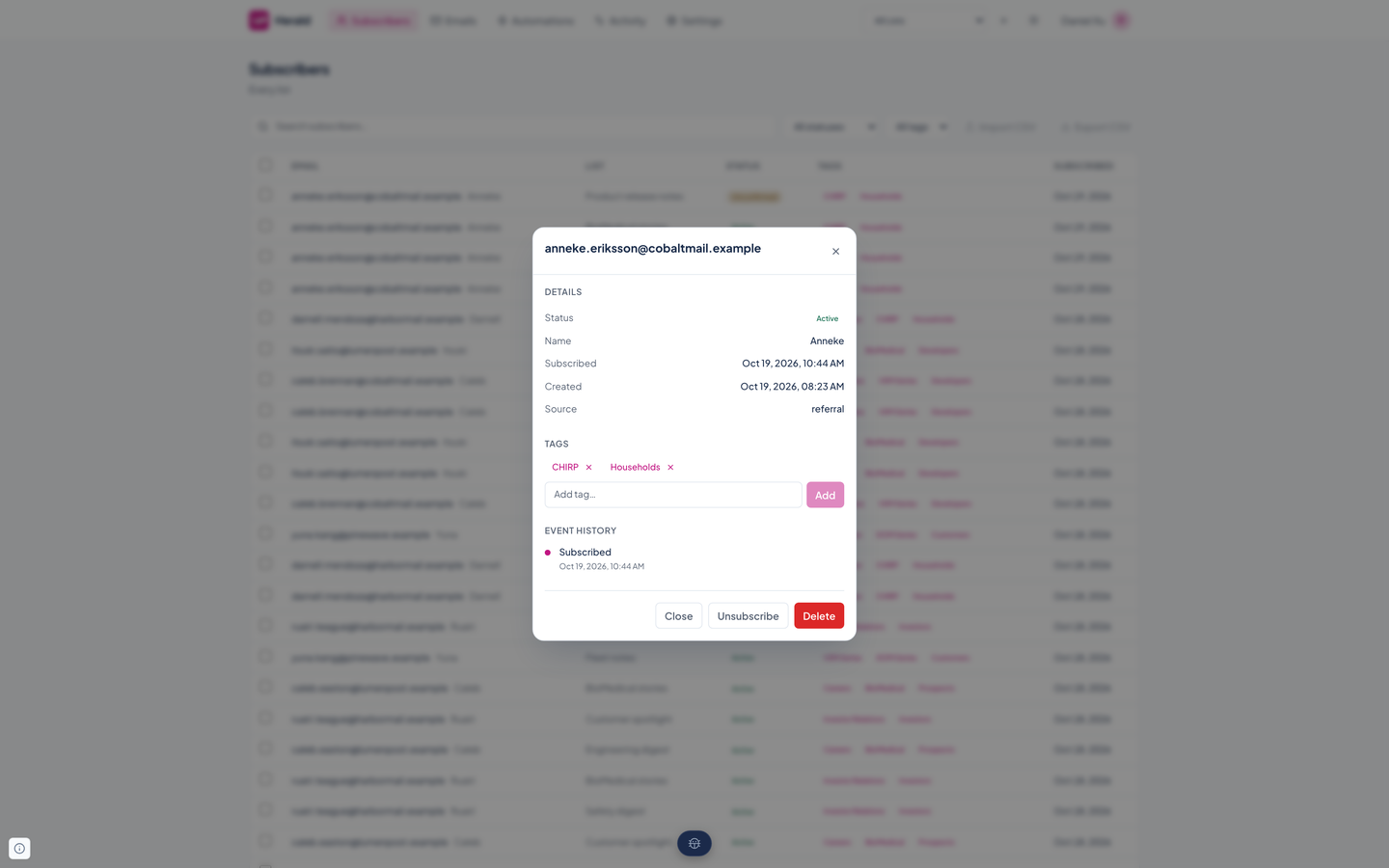
Real captures of the running tool, with fictional StrataForge Robotics data. They follow your theme.
From draft to delivered
Collect
Readers sign up, confirm by email, and land on a list with their tags. Or you import a CSV.
Compose
Write in Markdown, or pick an HTML template. Preview the email as readers will get it, then send yourself a test.
Send
Choose everyone, a segment, or tags. Send now, schedule it, or test two subject lines first.
Learn
Watch signups, open rates, and click rates by list, and read the audit trail to see what changed.
Built so everyone can use Herald.
Herald is a web app on the Renkara design system. It has a skip link as its first Tab stop, labeled controls, no sideways scrolling at 375 pixels, and an automated axe run that finds no critical problems. It also has 9 contrast findings from the design system's badge colors, a 16-pixel row checkbox, and a sound and fireworks effect on live events with no off switch. Nobody has tested it with a screen reader or walked it with only a keyboard, and we do not claim a conformance level.
Partly supported
Keyboard operation
The first Tab stop on the dashboard is a Skip to main content link, then the Herald link, the five navigation links, the list picker, the New newsletter button, the theme button, and the account menu, in reading order. Two scroll areas that a keyboard could not enter, the Emails table and the signup embed code, were made focusable and named on 10/29/2026. Herald has no keyboard shortcuts of its own. Nobody has walked a whole flow, such as composing and sending, with only a keyboard.
Partly supported
Screen reader landmarks and labels
Controls carry accessible names: the list picker is Current newsletter, the theme button says what it will do, and the Activity page's Pause and Refresh buttons now contain their visible text in their names. An automated scan finds no critical problems and no missing names. Herald has not been tested with VoiceOver, NVDA, JAWS, or any screen reader, so how the live Activity feed and the toasts read aloud is unknown.
Partly supported
Contrast in light and dark
Herald's magenta accent measures 5.68 to 1 against white in light mode and 5.91 to 1 against the dark card color, both above 4.5 to 1. The axe scan still reports 9 color-contrast findings: warning-tinted status badges on the dashboard, subscribers, and emails pages, a dark-mode status badge on automations, and the dark-mode red Delete text on settings. Those colors belong to the design system, not Herald, and have not been fixed. The Activity page's dimmed event labels, which were 116 to 200 failing nodes, were fixed on 10/29/2026.
Partly supported
Reduced motion
The design system's global stylesheet shortens every animation and transition to almost nothing when the system asks for reduced motion. Herald's own fireworks, a canvas animation that plays when a new subscriber arrives, does not check the setting, and the sound that goes with it is on by default with no switch in the app to turn it off.
Not yet tested
Text resize and zoom
Nobody has tested Herald at larger text sizes or browser zoom. Several tables carry small, fixed-size labels, so large text may crowd or clip them.
Partly supported
Mobile and touch
At 375 pixels no page scrolls sideways in light or dark, and the navigation collapses behind an Open navigation button. Many targets are smaller than 44 pixels: between 13 and 67 per page, and the Subscribers row checkboxes are 16 pixels. Nobody has used the app on a phone.
Under the hood
| Backend |
|
|---|---|
| Frontend |
|
| |
| Privacy and security |
|
| Agents and API |
|
| Stands in for | Buttondown |
| Works with | Curio: Curio captures links, drafts the blurbs, and assembles an issue, then hands Herald the finished draft to schedule and send. |
Built for agents as well as people
Herald ships an MCP server so a coding or writing agent can run your newsletters: draft and preview an email, send a test, manage readers and segments, switch an automation on, and read the numbers.
Lists and settings
list_newsletterscreate_newsletterget_newsletterupdate_newsletterdelete_newsletter
Subscribers
list_subscriberscreate_subscriberget_subscriberupdate_subscriberdelete_subscriberexport_subscribersimport_subscribers
Tags and segments
list_tagscreate_tagupdate_tagdelete_taglist_segmentscreate_segmentget_segmentupdate_segmentdelete_segmentpreview_segment_subscribers
Emails and sending
list_emailscompose_emailget_emailupdate_emaildelete_emailsend_emailschedule_emailsend_test_emailrender_previewpreview_emailget_email_metrics
Templates
list_templatesget_templatecreate_templateupdate_templatedelete_template
Automations
list_automationscreate_automationget_automationupdate_automationdelete_automationactivate_automationdeactivate_automation
A/B tests
generate_ab_test_variantsstart_ab_testget_ab_test_resultscancel_ab_test
Analytics
get_newsletter_metricsget_analytics_growthget_analytics_engagement
Keys, webhooks, and health
list_api_keyscreate_api_keyrevoke_api_keylist_webhookscreate_webhookupdate_webhookdelete_webhookping_servicecheck_service_healthget_my_identityget_diagnostics
Questions people ask
Does Herald replace a service like Buttondown?
That is what it was built for: Renkara's own newsletters, from signup to archive, on infrastructure Renkara runs. It does not try to match every feature of a hosted newsletter service.
Whose newsletters are these in the screenshots?
They belong to StrataForge Robotics, the fictional company from the novel The Deferral. The lists, readers, issues, and numbers are made up. No real reader, address, or newsletter appears anywhere on this site, and the screenshots were captured on a copy of Herald that is set up so it cannot send mail.
Do I need an account on another service to send?
Delivery goes through SendGrid, so a Herald installation needs a SendGrid account. Herald verifies SendGrid's signed event webhooks and keeps its own record of bounces and unsubscribes.
Does it track opens and clicks?
Only if you turn tracking on for a list. It is off for every new list, and the unsubscribe link is never rewritten for tracking.
How do I ask about using Herald?
Write to fleet@renkara.com.
Questions about this tool?
Write to Renkara Media Group and a person will answer.